
In-Message Self-Service UX: Best Practices That Boost Completion Rates
Boost completion rates in in-message self-service UX by treating messages as apps, simplifying choices, and validating identity in context. Focus on clear actions and outcomes to enhance user experience and drive results.
Treating a message flow like a tiny web page is one of the most common ways in-message experiences break down at the last mile. The constraints are different, the context is different, and — crucially — so is the user's state of mind. For an in-message interaction to actually complete, it needs to be audit-ready, identity-aware, and specific to the moment it shows up in. When those pieces aren't in place, the flow doesn't just underperform — it creates noise that crowds out the outcome it was meant to drive.
We’ve seen smart teams ship elegant screens that go nowhere. The problem isn’t intent or effort. The problem is forcing customers to switch context, guess what’s allowed, and hope the result posts to systems of record. You can design your way out of that. Start with decisions customers can actually take, prove identity in‑flow, and record the evidence you’ll need later.
Key Takeaways:
Treat the message as the app, not a link to a portal
Show only policy‑allowed actions and prefill everything you can
Validate identity in‑flow with one‑time codes or known‑fact checks
Use progressive disclosure and stepwise confirmation to cut friction
Capture digital consent, timestamps, and artifacts for audit on every completion
Map writebacks to systems of record and verify outcomes in real time
The Overlooked Truth About In‑Message Self‑Service UX
In‑message self‑service UX works when it removes choices policy would block anyway, validates identity in context, and captures evidence you can defend. The goal isn’t form fills. The goal is a posted payment, a plan established, a document on file. Design for that and completion rises.
Design for Decision, Not Browsing
Customers open a message to do one thing. Give them that path first. Present a small set of actions that policy actually allows at that moment, then explain the outcome in plain language. We’ve watched this single change lift completion because people stop hunting for the next step they can take.
Every extra click is a chance to quit. Reduce choices, cut text that restates the obvious, and tune microcopy to the action. Write the button like a commitment, not a label. “Pay R450 now” beats “Continue.” It sets the expectation and lowers anxiety about what comes next.
Only Policy‑Allowed Actions
Let policy rule the UI. If a customer isn’t eligible for a three‑month plan, do not show it. Offer the valid options they can complete right now. It sounds strict. It’s kinder. People don’t waste time choosing an outcome that will fail later.
Eligibility needs data. Pull it from your systems before the flow starts so the UI reflects reality. Prefill amounts, due dates, and plan windows. You’ll prevent the classic mistake of letting the customer build an arrangement the system can’t accept. That is a guaranteed support call.
Evidence You Can Audit
Completion must leave a trail. Capture consent text, the inputs that matter, and the timestamp for each step. Store the signed intent with the outcome so audit doesn’t become a scavenger hunt later. When a regulator asks “who did what, when, and under what policy,” you should answer on one screen.
Evidence also builds trust with customers. A confirmation that shows what changed and where it posted calms nerves. People act reasonably. They expect to see balances updated and plans recorded. If they don’t, they call. That’s a cost you can avoid.
Root Cause: Why Portal Patterns Kill Completion Rates
Portal patterns assume attention and patience you rarely get in messaging. Requiring account creation, long forms, or channel switches at the moment of decision drives abandonment. The real cause isn’t motivation. It’s last‑mile friction and missing writebacks that break trust.
The Portal Detour That Breaks Flow
Linking out to a portal adds steps that feel small to teams and huge to customers: app download, password reset, multi-factor authentication on a device they don’t have with them. Each step bleeds intent. You lose the person who was ready to act in the channel they opened.
Most teams know this pain. Completion tanks, then volumes rise in the call queue. You end up paying twice. A small shift helps. Keep the action inside the message, validate identity in‑flow, and restrict input fields to the minimum you need for a safe transaction.
Systems of Record Shape UX
The flow doesn’t live on the front end. It lives in what your systems can accept and post. If you ignore writeback constraints when you design the experience, you create promises the back end can’t keep. That is where operational debt starts.
Map outcomes to real API calls, field constraints, and idempotent keys before you touch UI. Then your “Pay now” button does what it says and you can prove it.
The Cost of Getting UX Wrong in Message Flows
Broken in‑message UX makes customers abandon, pushes routine cases to agents, and creates compliance risk when evidence is missing. The numbers add up fast. Shorter forms and fewer steps raise conversion in many studies, and identity done right lowers fraud without derailing honest users.
Abandonment Adds Real Cost
Research shows long or confusing forms drive drop‑off. Checkout studies from the Baymard Institute link unnecessary fields and unclear errors to lost conversions. Messaging flows face the same risk with less patience. Each extra step is a chance to lose a willing payer.
Abandonment doesn’t vanish. It moves to your call center. Now you pay for agent time, verification, and manual wrap‑up. The unit cost rises even though “engagement” looked fine on paper. Measure completion, not clicks.
Manual Reconciliation Risks
When outcomes don’t post automatically, teams reconcile by hand. Mistakes creep in. Two systems disagree. Finance asks for proof. You burn hours unwinding a problem that never needed to exist. The fix is simple to say and hard to do: design the flow around idempotent writebacks.
Identity matters here. NIST’s guidance on authentication balances assurance with usability. One‑time codes and known‑fact checks are common patterns for medium assurance in consumer flows, as outlined in NIST SP 800‑63B. Use them where they fit the risk.
Compliance Exposure Without Evidence
If you can’t show consent text, inputs, and timestamps, you’re exposed. Screenshots and email threads won’t save you. You need structured logs that tie a specific user, a specific action, and a specific policy to a posted result.
Channel rules matter too. WhatsApp templates, opt‑ins, and deep links all have constraints. Designing with platform guidance in mind avoids send failures and policy violations. See the WhatsApp Business Platform documentation for current rules and examples.
What It Feels Like When Flows Fail
You see promising open rates and then the dashboard stalls. Customers click, then vanish. Agents pick up the slack, and your team spends Fridays reconciling edge cases you didn’t plan to own. It’s frustrating because the intent was there, but the UX got in the way.
When Every Simple Update Turns Into a Call
Card expired. Address changed. The customer tries to help and hits a login wall or a broken link. They call, wait, verify identity, and repeat what they already entered. Everyone loses time. We’ve seen teams normalize this pain. You don’t have to.
Change the default and let the message carry the action instead. Validate the person, show only what policy allows, and confirm the outcome with a receipt they can trust. This way, calls shift to the exceptions that need judgment, not the basics that software can finish.
Weekend Fire Drills From Writeback Gaps
A plan looked confirmed, but no record posted. Collections keeps chasing. Compliance asks what happened. You start pulling logs and tickets. The real issue wasn’t effort or intent. It was a gap between the UX and the system of record.
Close that gap in design. If an action can’t write back safely under current conditions, don’t offer it. Offer what will complete, and prove it.
Best Practices That Boost Completion Rates Inside the Message
In‑message self‑service UX improves completion when it pairs friction‑right identity, minimal inputs, and clear confirmations with guaranteed writebacks. The pattern is consistent. Make the next step obvious, keep the context tight, and capture proof with the result.
Design Principles for In‑Message UX
Keep cognitive load low. When a decision requires context, show only what supports that choice. That might be one sentence and one number. If a field can be prefilled, prefill it. If a choice is invalid, hide it. You’ll prevent wrong turns and cut errors.
Validation belongs near the input. Don’t wait until submission to flag issues. Use clear, human language and show how to fix the problem. Error copy that blames the user drives drop‑off. Helpful messages keep people moving.
After you establish intent, a short sequence works best:
Confirm who is acting with a one‑time code or known‑fact check
Present only valid options and prefilled details
Capture consent and submit, then show a receipt with what changed
Identity Patterns That Fit Messaging
Identity must match the risk of the action. For low‑risk updates, a one‑time code sent to the known channel may be enough. For higher‑risk work, add a known‑fact challenge that a fraudster is unlikely to pass. Keep the check inside the flow and time‑bounded.
Avoid patterns that bounce people to app stores or long credential forms. They break attention and erode trust. Signed deep links scoped to a specific action reduce risk without turning the flow into an account recovery path. If a step fails, fall back to an exception route that preserves context.
Payments and Documents Without Friction
Payments complete when amounts are clear and methods are familiar. Prefill what you can, label fees plainly, and let people choose saved methods where policy allows. For document capture, guide the shot, validate legibility, and accept the file without sending users to an unfamiliar upload tool.
Consent should be explicit and readable. Keep legal text accurate and short, then store the exact version presented. The receipt should echo the consent and include a reference number the customer can cite later. That small detail prevents repeat calls.
If you and your team are ready for customer communication workflows on autopilot, get in touch.
How RadMedia Enables In‑Message Self‑Service That Actually Resolves
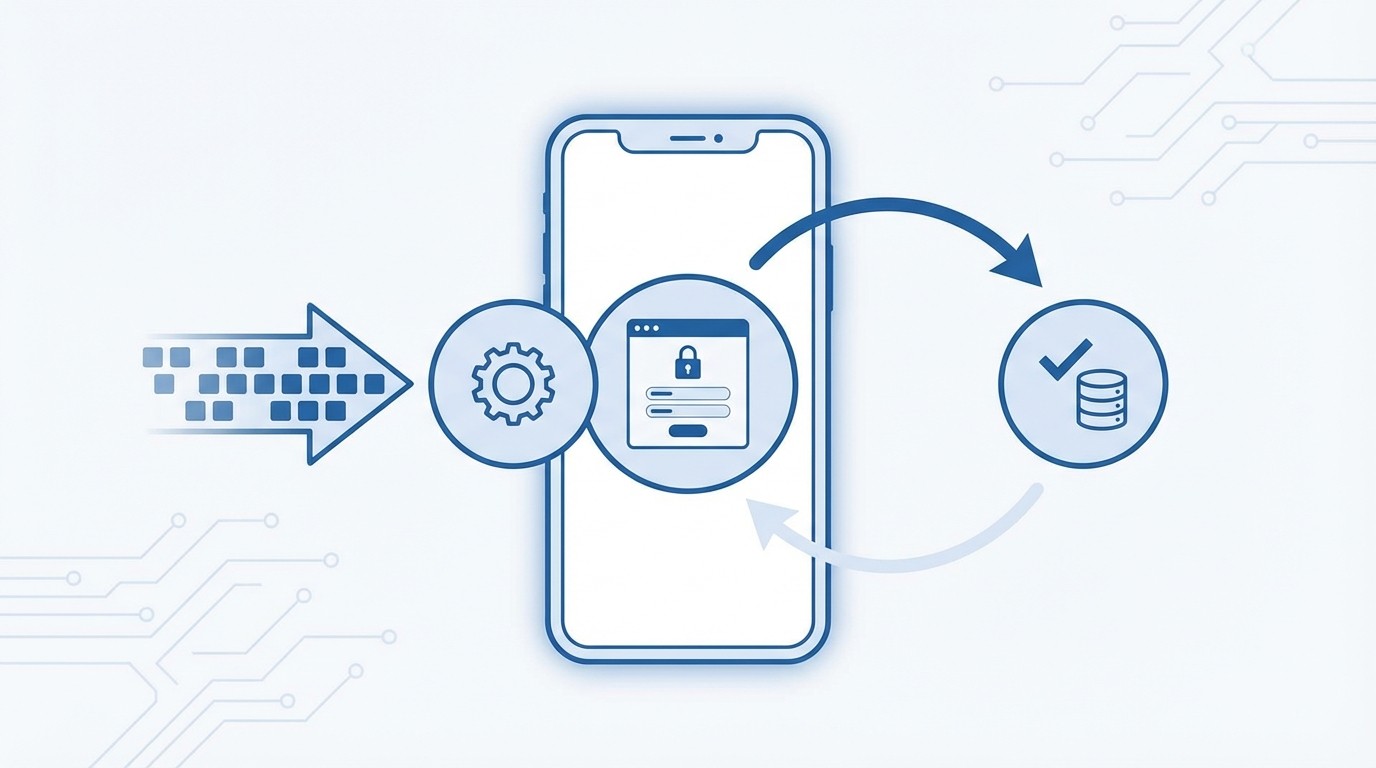
RadMedia turns these practices into a closed‑loop reality by managing back‑end integration, presenting secure mini‑apps inside the message, orchestrating outreach for completion, and writing results back idempotently. The outcome is simple to describe and hard to fake: cases finish where they start.
Managed Integration That Closes the Loop
RadMedia owns the adapters, authentication, schema mapping, and error handling so your flows match what your systems can accept. Triggers from billing, collections, and compliance feed context into outreach and mini‑apps. When a customer acts, RadMedia posts results to systems of record with idempotent guarantees.
That removes the manual reconciliation you pay for today. The 30 minutes an agent spends fixing a broken update becomes seconds of straight‑through processing. Your team stops chasing mismatches and starts measuring resolution.
Mini‑Apps That Present Only Valid Paths
RadMedia’s in‑message mini‑apps validate identity with one‑time codes or known‑fact checks, then present only policy‑eligible actions. Update a card, choose a compliant plan, confirm details, upload a document, or sign an attestation. Inputs are validated at the field level, and consent is captured with timestamps.
Fewer choices mean fewer mistakes. Customers stop trying to pick options the system would reject later. Completion rises because the flow never asks people to do what policy will not allow.
Autopilot That Moves Cases to Done
The Autopilot Workflow Engine advances each case with policy‑aware rules and time‑based logic. It links back‑end events to outreach and mini‑app interactions so routine work proceeds without agent touch. If a rule blocks completion, the exception path escalates with full context.
Your team focuses on the few cases that truly need people. Everyone else resolves themselves, and the engine schedules the next step automatically. Cycle times become predictable. Variability drops.
Writebacks and Audit You Can Prove
Closed‑loop resolution is built in. RadMedia writes outcomes to systems of record, attaches notes and documents, and logs every consent, input, and writeback. Telemetry tracks delivery, actions, validations, and completion so you can prove performance and improve it.
Here’s how these capabilities show up in practice:
Managed back‑end integration, safe adapters, and idempotent posting aligned to your systems
In‑message mini‑apps, identity in‑flow, policy‑aware actions, and prefilled details
Autopilot workflow engine, rules, timing, and exception routing tied to real outcomes
Closed‑loop writebacks, receipts customers trust, and audit logs you can defend
Ready to see how RadMedia can help? Let's chat.
Conclusion
The path forward is clear. Treat the message as the app, prove who is acting, present only valid options, and capture evidence with every completion. Then make sure results write back to systems of record without handoffs.
Do that and you can run an A/B test that matters. Expect a 30 to 60 percent lift in completion versus portal redirects in the first window, with every successful action carrying the consent and audit artifacts you need. RadMedia was built for that exact outcome. When customers act reasonably, they should see the record reflect it. When they do, they don’t call. And you stop paying the double cost.