
Automating Dispute Resolution in Collections Without Human Intervention
Automating dispute resolution in collections enhances efficiency by connecting customer actions to policy checks and reliable outcomes. Ensure integration and clear roles in communication channels to minimize manual work and improve resolution times.
Your dispute workflow can acknowledge a case in seconds and still leave the real work sitting with an agent. The message goes out, but the customer's response never reaches the core system as a completed outcome. For financial services teams, automating dispute resolution in collections means connecting each customer action to policy checks and a reliable writeback. Without that closed loop, the system looks automated, but it isn't actually built to resolve the dispute.
The hard part isn't drawing a neat journey. It's connecting that journey safely to account data, policy rules, supporting evidence, and final writeback. We'll cover how to find breakpoints, define completion, orchestrate channels, handle exceptions, and prove the account record changed.
Key Takeaways:
Define resolution as a recorded system outcome, not a captured customer response.
Test integration and writeback before investing heavily in journey design.
Give SMS, WhatsApp, and email distinct roles within one coordinated sequence.
Keep identity checks and evidence collection close to the customer's chosen action.
Route only genuine exceptions to agents, with the case context already attached.
Measure completion, time to resolution, writeback success, and agent deflection.
Why Automated Dispute Workflows Still Create Manual Work
Automated dispute workflows create manual work when messaging, decisioning, and core account systems operate as separate parts. A customer can submit a dispute digitally while an agent still verifies the details, opens the case, updates the account, and sends confirmation. The customer-facing step looks automated, but the dispute itself hasn't been resolved.
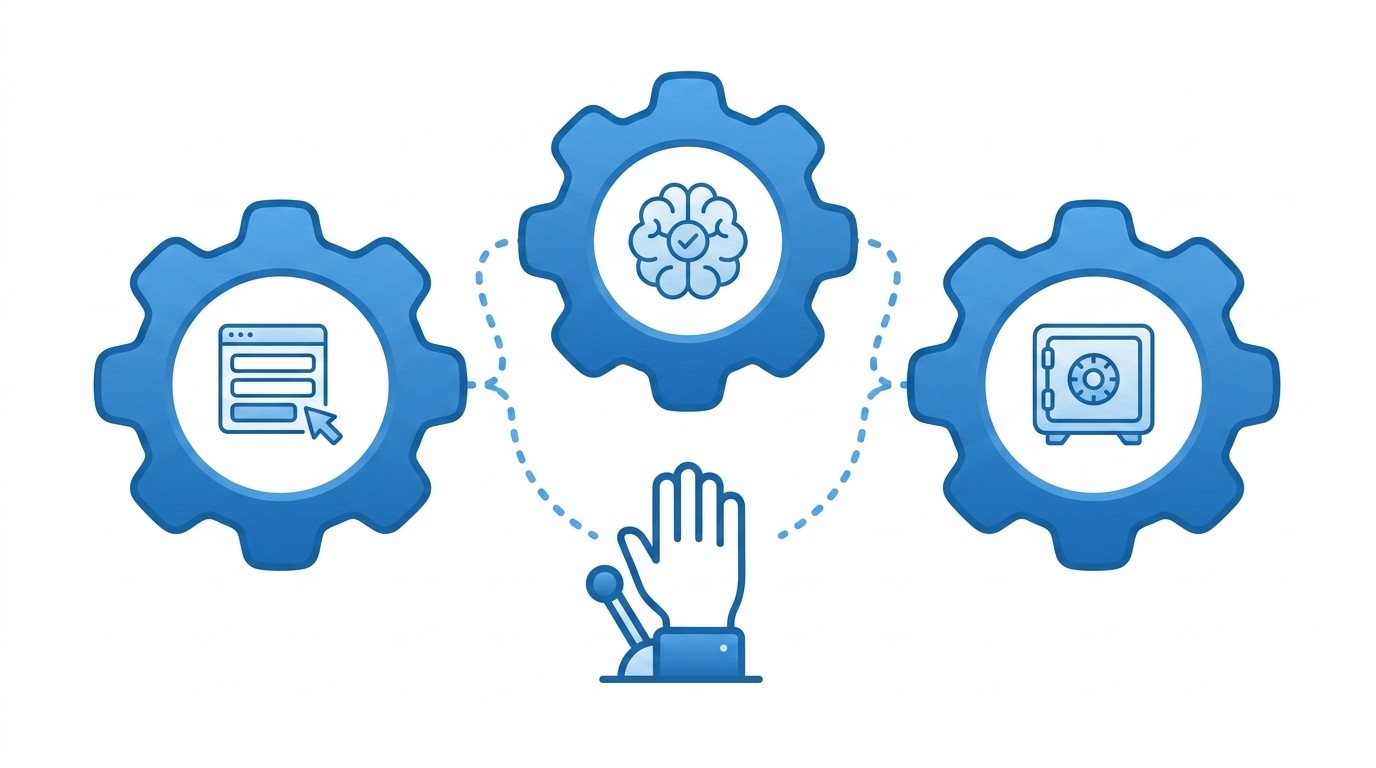
A Captured Dispute Can Still Be Unresolved
At 9:12 on a Monday, a collections manager opens the messaging console and sees that a customer selected "Dispute Amount" over the weekend. The collections system still shows the original status. No supporting evidence has been attached, and no case owner has been assigned. An agent now has to stitch those pieces together by hand, screen by screen.
From the customer's side, the job looked finished. They followed the prompt, chose the relevant option, and received an acknowledgement. When another reminder arrives because the core record hasn't changed, trust drops and contact volume rises. It's frustrating for the customer and exhausting for the person who has to explain why the system didn't remember.
Channel Growth Can Expose a Broken Handoff
A major retail bank learned how quickly a handoff can fail when it scaled an interactive collections campaign fourfold to 200,000 messages per month. Customers responded, but new inbound lines produced queue times of up to two minutes. Call abandonment climbed from under 10% to over 50%, even though the outreach itself was working.
The bank replaced the voice handoff with a secure digital path where customers could pay, make a Promise to Pay, or dispute the amount. Routine actions no longer depended on an inbound queue, while disputes could reach specialist agents with the customer's choice already captured. The same pattern shows up everywhere we look: channel reach only matters when the next step can absorb the response.
The Missing Work Sits Behind the Journey
Drawing a dispute flow is relatively easy because the visible path is familiar: notify, identify, capture, review, and close. The difficult work starts when that path touches account history, eligibility rules, document storage, and the system of record. If any connection fails, somebody has to reconcile the difference.
A dispute workflow should behave like a balanced ledger. The customer action on one side needs a matching system update on the other, with enough evidence to explain the change. If the two sides don't balance, the entry stays open, no matter how confidently the messaging dashboard reports a delivered message.
Portals remain useful for complex cases that require long explanations or repeated document exchange. That's a fair reason to keep them. Routine, policy-bound disputes are different, because forcing every customer through a login can add friction without adding control. The practical question is clear: what must be true before a dispute can close without routine agent work?
How to Automate Dispute Resolution From Trigger to Writeback
Automating dispute resolution in collections requires one connected workflow that detects the issue, gathers the right information, applies policy, updates the core record, and confirms completion. Channel design comes after those controls are clear. If the back-end outcome isn't defined first, the front-end journey will create another queue rather than remove one.
Diagnose Where the Workflow Actually Stops
A digital front end and an automated dispute workflow aren't the same thing. Start by tracing one real case from the first trigger to the final system update. At every handoff, record who acts, which system changes, and what evidence moves with the case. Any step that depends on copying data between screens is an unresolved automation gap.
Look beyond the obvious agent task. A case may appear automated because the customer submits it without calling, while an operations analyst still corrects account flags later. We prefer to inspect the next business cycle as well: did reminders stop, did the balance status change, and can an auditor reconstruct the decision? If not, the automation ended too early.
Run these five questions against one current workflow, and treat any "no" as a live gap:
Does the customer's submission create or update the correct case automatically?
Can policy rules identify which disputes qualify for straight-through handling?
Does supporting evidence travel with the case rather than through a separate inbox?
Can the system retry a failed writeback without creating a duplicate update?
Does the customer receive confirmation only after the system of record accepts the outcome?
Here is the useful part: if you answer "no" to the last two, adding channels will multiply the manual cleanup, not reduce it. Fix the writeback and retry logic before you touch the outreach.
Define Resolution Before Choosing the Channel
What does "closed" mean for the dispute under review? The answer needs to be a system state plus evidence, not a message status such as delivered, opened, or submitted. For one dispute, closure may mean a case flag, a balance hold, attached documents, and a timestamped acknowledgement. Another dispute may require specialist review before any account change is allowed.
Clear outcomes prevent false automation metrics. If a customer submits information but the case remains untouched, count it as intake rather than resolution. If policy requires human approval, record the case as correctly routed, not automated to completion. That distinction may look strict, but it gives operations leaders a trustworthy view of where people are still needed.
Define each outcome in this order:
Customer state: Record what the customer selected, supplied, or confirmed.
Policy state: Show which eligibility rule or review requirement applies.
System change: Specify the flag, note, document, balance state, or case status that must update.
Evidence state: Store the identity check, consent, timestamps, and decision history required for review.
If an outcome can't be written in those four terms, it isn't ready for automation. Send it back to policy before it reaches a messaging template.
Give Each Channel a Specific Job
Three channels don't create an omni-channel dispute process by themselves. Sending the same reminder through SMS, WhatsApp, and email usually increases message volume without fixing completion. A coordinated sequence gives each channel a clear role and keeps every response tied to the same case.
SMS may provide immediate reach and a direct path to a secure action. WhatsApp can support a richer interaction where consent and preferences allow it, while email can carry more detailed context or a copy for the customer's records. Email is entirely appropriate when the customer needs detail they can revisit later. The mistake is treating delivery as the finish line.
Channel rules should cover:
Entry: Select the first channel using consent, preference, and available customer data.
Action: Point every channel to the same secure, policy-aware dispute path.
Follow-up: Change timing or channel when there is no action, rather than duplicating the same message.
Escalation: Send genuine exceptions to the right queue with the existing case history attached.
When designing the sequence, ask what the customer can actually complete from each message. If the honest answer is "read it," the workflow still needs an action layer.
Keep Identity and Evidence Close to the Action
Picture a customer who disputes a balance from their phone, then receives an email asking for documents and a separate portal link for identity verification. Each step may be valid on its own. Together, they force the customer to rebuild context three times, while operations has to reconnect the records later.
A better path validates identity before exposing account-specific actions, then collects only the evidence needed for the next decision. Signed links, one-time codes, or known-fact checks can support that first gate, depending on the risk of the action. Once verified, the customer should see options that match the account and the applicable policy. Nothing more.
Evidence design needs restraint. Asking for every possible document feels safer, but it can slow simple cases and swell review queues. Apply one test before adding any field: will the answer change eligibility, routing, or the final account update? If it changes none of the three, remove it from the routine path and reserve it for an exception.
The before-and-after difference is substantial. Before, an agent searches an inbox, checks identity a second time, and attaches files to a case. After, the verified submission arrives as structured data with the evidence already connected to the dispute. The agent, if one is needed at all, starts with the case rather than rebuilding it from scratch.
Encode Policies and Exceptions Separately
Automation should stop on purpose when policy, data, or system conditions prevent a safe outcome. Trying to force every dispute through the same path creates risk, because not every case is routine. The goal isn't zero human involvement. It's zero unnecessary human involvement.
Policy rules should decide which actions are available, what evidence is required, and when a case must move to specialist review. Exception rules handle what happens when those conditions aren't met. Keeping the two separate makes changes easier to test and reduces the chance that a technical failure is mistaken for a policy decision. Mix them, and a failed API call starts looking like a lending decision.
Build explicit routes for at least these five conditions:
Missing data: Request the specific item needed or send the case to the responsible queue.
Ineligible action: Explain that the selected route isn't available and present an allowed alternative.
Conflicting evidence: Pause the automated outcome and preserve both versions for review.
Failed downstream transaction: Retry safely without duplicating the account change.
Rejected writeback: Keep the case open and escalate it with the failure context attached.
Some operations teams prefer broad agent review because it feels easier to govern, and for rare, high-risk disputes that instinct is correct. At scale, though, policy-aware routing provides stronger control, because every routine decision follows the same recorded rules instead of an agent's memory of them.
Prove the Writeback Before Scaling Outreach
A successful message and a successful workflow are different events. Before expanding volumes or adding channels, prove that one high-volume dispute path can update the system of record under both normal and failed conditions. The test needs accepted outcomes, rejected outcomes, duplicate submissions, timeouts, and incomplete customer actions.
Run the pilot with real operational owners involved. Messaging can confirm that the sequence works, risk can confirm the permitted actions, and operations can verify that the right queues receive exceptions. Technical owners need to test retry behaviour and duplicate protection. This stage is less visible than journey design, yet it carries far more operational risk.
Track a short set of measures:
Completion rate: The percentage of started cases that reach the defined outcome.
Time to resolution: The time from trigger to accepted system update.
Writeback success: The percentage of completed actions recorded correctly in the target system.
Agent deflection: The share of routine cases completed without agent handling.
Exception rate: The percentage and type of cases that leave the automated path.
Here is the rule that saves teams from expensive mistakes: if writeback success falls while message engagement rises, don't add another channel. Fix the connection first. Once those measures hold steady for one workflow, the operation has a sound base for broader automation across dispute types.
How RadMedia Closes the Dispute Loop
RadMedia connects customer outreach to policy-aware action and reliable system updates, so routine disputes don't stop at digital intake. Managed back-end integration handles the connection to legacy cores and modern APIs, while the Autopilot Workflow Engine controls rules and exceptions. The same workflow can then coordinate customer action across supported channels.
Managed Integration Connects Action to the Account
RadMedia owns the adapters, authentication, schema mapping, and error handling needed to connect dispute workflows to source systems. Triggers can enter through webhooks, polling, or secure batch processes. When the customer completes an allowed action, idempotent writebacks and retry controls protect the system from duplicate or inconsistent updates.
The Autopilot Workflow Engine advances each case using policy-aware rules, time-based logic, and defined exception routes. Missing data, an ineligible action, or a failed downstream transaction can move to the right agent with the existing context attached. Routine work continues without rekeying, while cases that need judgement remain with people.
The operating model covers three connected capabilities:
Managed back-end integration: Connect triggers, customer context, and outcomes without a separate client engineering project.
Policy-aware workflow control: Encode eligibility, timing, and exception paths within the dispute process.
Closed-loop writeback: Update flags, notes, balances, and documents in the relevant system of record.
Coordinated Channels Keep Customers in the Workflow
RadMedia sequences SMS, email, and WhatsApp according to consent, preferences, timing, and frequency rules. Each message points to a secure, no-download mini-app where the customer can take a policy-eligible action. Identity can be checked through signed links, one-time codes, or known-fact questions before account details or dispute options appear.
The approach fits operations that need resolution rather than a bulk email service. If the requirement is only to send low-cost messages and report opens, the model provides more workflow depth than necessary. For financial services teams dealing with fragmented dispute intake and manual reconciliation, that depth is the whole point.
With RadMedia, telemetry records deliveries, actions, validations, and writebacks so operations can measure completion rather than conversation volume. The workflow doesn't report success merely because the customer clicked. It reports whether the dispute reached its defined outcome and whether the system accepted the update. If managed integration and reliable writeback are the missing pieces in your current process, talk to us about putting the workflow on autopilot.
Make Dispute Resolution a Completed Workflow
Effective dispute resolution automation closes the operational loop from customer intent to recorded outcome. It defines completion first, gives each channel a clear job, applies policy consistently, preserves evidence, and verifies the writeback. Without those elements, digital intake simply moves unresolved work into another queue.
Start with one routine, high-volume dispute path and trace every handoff. Remove rekeying, test failed updates, and measure whether the core record changes as expected. Scale only after the workflow proves that it can finish the task, not merely start the conversation.
Frequently asked questions
How do I ensure my dispute resolution process is automated?
To automate your dispute resolution effectively, start by defining what 'completion' means for each case. This includes specifying the system changes required, like updating account flags or attaching documents. Next, use RadMedia's Managed Back-End Integration to connect your legacy systems and ensure that when a customer takes action, the outcomes write back automatically to your system of record. Lastly, utilize the Autopilot Workflow Engine to manage the flow of cases and apply policy rules consistently, which helps reduce manual intervention and keeps the process streamlined.
What if my customers prefer different communication channels?
If your customers have varying preferences for communication channels, RadMedia's Omni-Channel Messaging Orchestration can help. This feature allows you to sequence messages across SMS, email, and WhatsApp based on customer consent and preferences. Start by collecting data on which channels your customers engage with most. Then, configure your outreach plan to respect these preferences, ensuring that each message directs them to a secure mini-app where they can complete their tasks without switching contexts.
Can I track the success of my automated workflows?
Yes, you can track the success of your automated workflows using RadMedia's telemetry features. This capability allows you to measure key metrics such as completion rates, time-to-resolution, and writeback success. To do this, ensure that every step in your workflow emits telemetry data, which provides insights into how well your automated processes are performing. Regularly review these metrics to identify areas for improvement and ensure that your automation is effectively reducing manual work and enhancing customer satisfaction.
When should I involve agents in the dispute resolution process?
You should involve agents in the dispute resolution process when exceptions arise that cannot be handled automatically. RadMedia's Autopilot Workflow Engine is designed to advance cases without agent touch for routine disputes. However, if a case encounters missing data, ineligible actions, or failed transactions, it should follow a defined exception path that escalates to an agent. This approach ensures that agents only handle complex cases, allowing them to focus on high-judgment scenarios while routine tasks are resolved automatically.
Why does my dispute resolution process still require manual work?
If your dispute resolution process still requires manual work, it may be due to gaps in your automation setup. Common issues include separate messaging and decisioning systems that don’t communicate effectively, leading to incomplete case updates. To address this, ensure that you have a closed-loop resolution process in place using RadMedia's capabilities. This includes managed integration with your core systems and the use of in-message self-service mini-apps, which help to capture customer actions and write back outcomes directly to your systems.